
A tour of your dashboard
Everything that matters at a glance when you log in — active work, your team's availability, and what's coming up.
Walkthrough
Four things worth knowing about, top to bottom.

Check your KPIs at a glance
Active work orders, engineers and how many are booked in today, what's completed this month, and any pending issues — each card is clickable, jumping straight to the relevant list. The small arrows show whether you're trending up or down against last month.
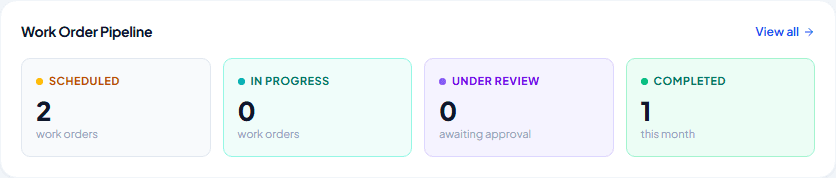
See what's moving through your pipeline
Four stages — Scheduled, In Progress, Under Review and Completed. Under Review is the one worth watching: that's an engineer's finished work waiting on your sign-off before it counts as done.
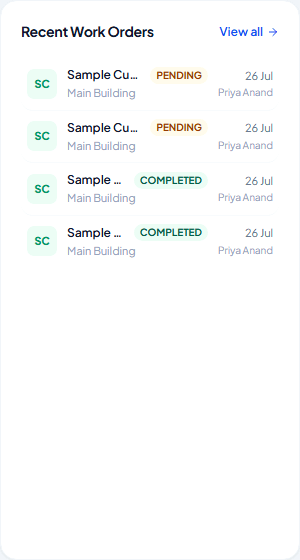
Jump back into anything recent
The eight most recently created work orders, whoever they're assigned to and when — a faster way back in than searching Work Orders when you know roughly what you're looking for.
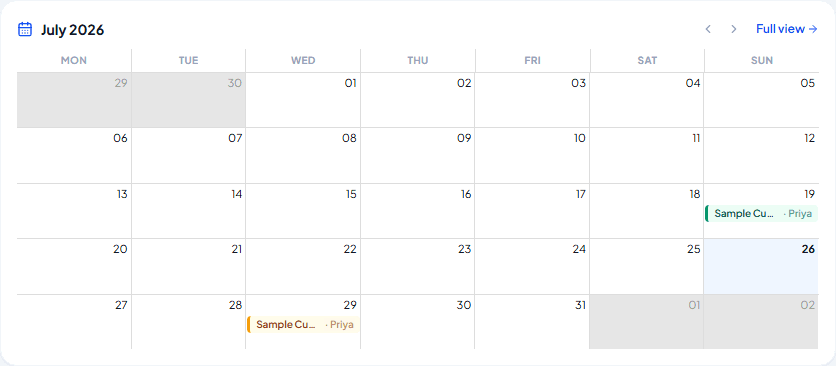
Find anything on the calendar
A mini month view of the same schedule as the full Schedule page — enough to spot a quiet day or a clash at a glance, with a Full View link when you need more.
Frequently asked
Why does Under Review get special treatment?
It's the one pipeline stage that needs you specifically — everything else just needs time. A small marker appears on it whenever there's something waiting.
What are those banners that sometimes appear above the KPI cards?
They only show up if you subcontract work to or from another company — one for handed-off jobs awaiting your accept or decline, another for jobs a subcontractor declined and needs reassigning.
Do engineers see this same dashboard?
No — they get a simpler view scoped to their own jobs: what's active and what they've completed, nothing company-wide.
Experience Climexa with a free 30-day trial.
See how installation, commissioning, servicing, compliance and customer reporting work together in one platform.
- 30-day free trial
- No credit card required
- Full platform access