
Adding a managed customer, site and units
Set up a customer you look after on an ongoing basis — their site, and the indoor and outdoor units you're responsible for servicing.
Walkthrough
Four steps: the customer, their site, and the two halves of each system.
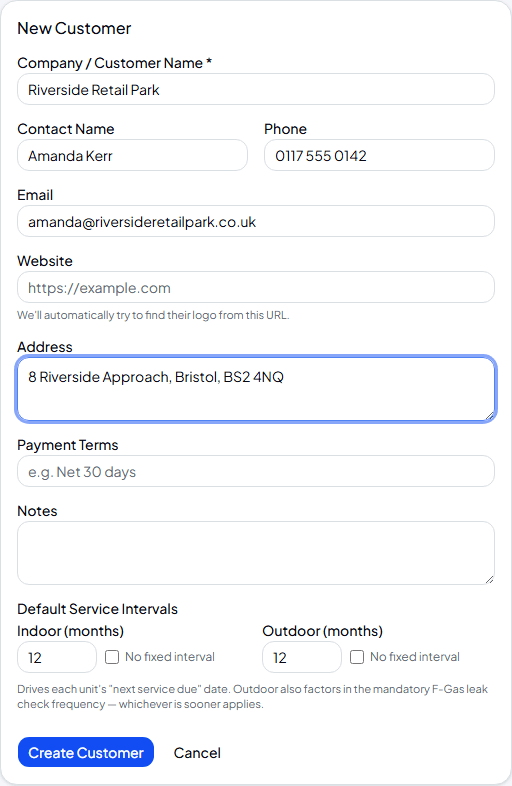
Create the customer
Name, contact details and address are straightforward. The default service intervals matter more than they look — they drive each unit's “next service due” date, and for outdoor units, whichever is sooner out of this interval or the mandatory F-Gas leak-check frequency is what actually applies.
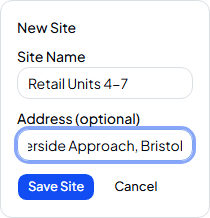
Add their first site
From the customer's Overview tab, use the dashed Add Site card — every location gets its own card here, so a customer with three buildings gets three sites. One thing worth knowing: Sites & Units stays empty until at least one site exists, so the first one always starts from Overview.
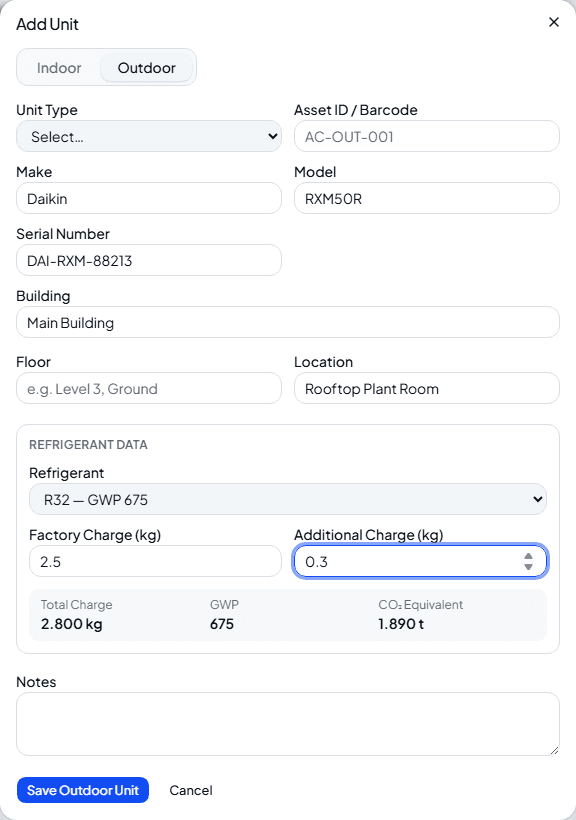
Add the outdoor unit first
Switch to Sites & Units and add the outdoor unit before the indoor one — it makes linking them a step easier. Fill in the refrigerant and charge and the app works out the total charge and CO₂ equivalent for you, straight from the GWP.
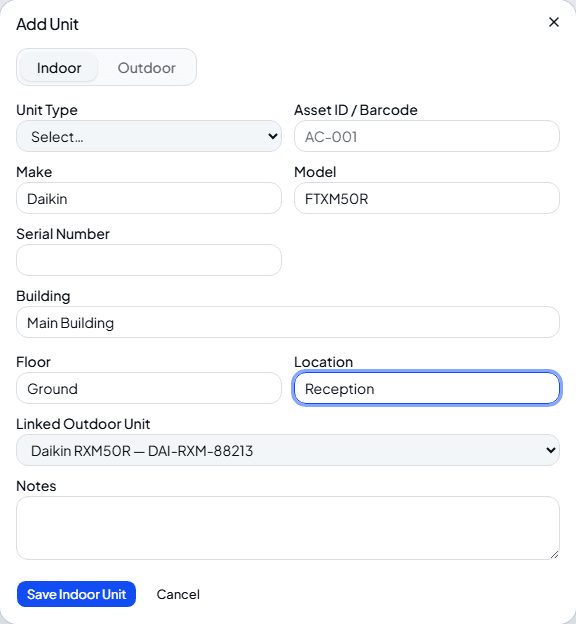
Add the indoor unit and link it
Add the indoor unit the same way, and pick the outdoor unit it's connected to from the Linked Outdoor Unit dropdown. Linked units share their refrigerant circuit on reports, so it's worth doing even if it feels optional in the moment.
Frequently asked
Do I have to add the outdoor unit before the indoor one?
No, but it's easier — the indoor form's linking dropdown only lists outdoor units that already exist.
What if a customer only wants one job, not an ongoing relationship?
You don't need to set them up here at all — pick “New” instead of an existing customer when creating the work order, covered in the next guide.
Is there a faster way to add lots of units at once?
Yes — Sites & Units has an Import button that accepts pasted or uploaded CSV data, for moving in an existing spreadsheet of equipment in one go.
Experience Climexa with a free 30-day trial.
See how installation, commissioning, servicing, compliance and customer reporting work together in one platform.
- 30-day free trial
- No credit card required
- Full platform access