
Adding a retrospective service record
For work that already happened — a paper record you're digitising, or a visit that never got logged at the time. No active work order needed.
This page isn't linked from the sidebar yet — go directly to Add Service Record at /admin/service-records/new (worth bookmarking if you're migrating a batch of paper records).
Walkthrough
Two steps: fill it in, and it's added as a completed job.
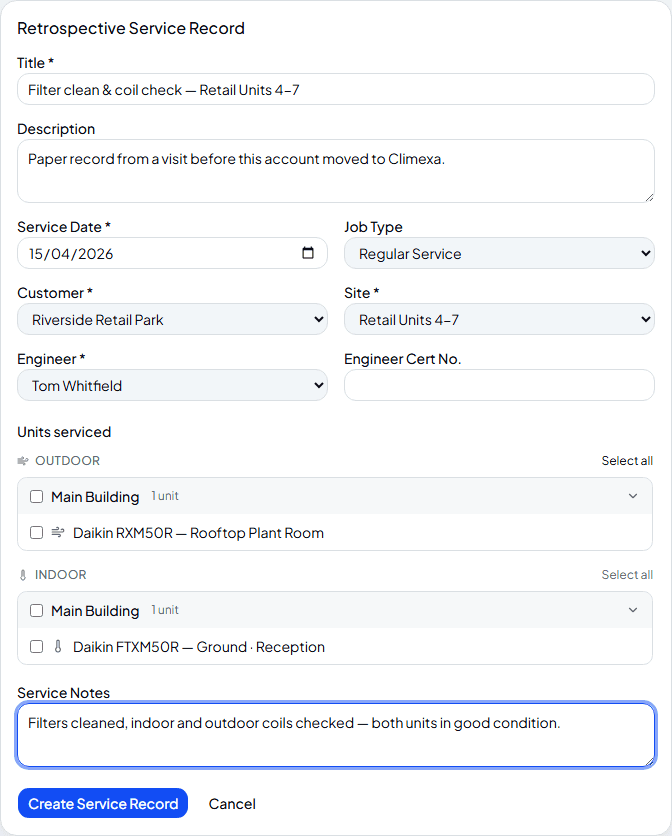
Fill in what happened and when
Title, a service date in the past, job type, customer and site, and who did the work — pick an engineer and their F-Gas cert number fills in automatically if they have one on file. Once a site is selected, tick which indoor and outdoor units were actually serviced.
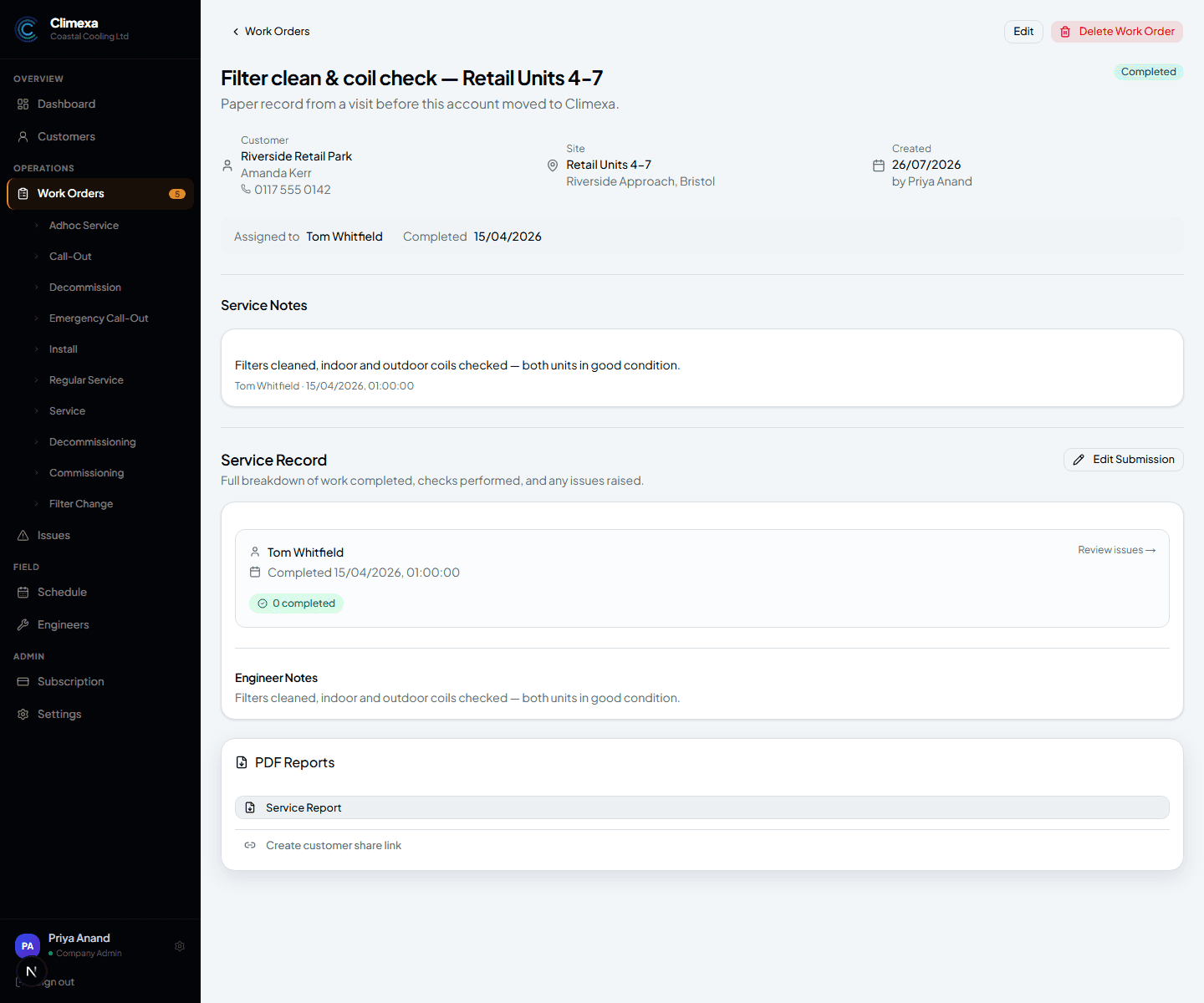
It's added straight in as completed
Create Service Record adds it directly with a Completed status, backdated to the service date you entered — no Scheduled or In Progress stage, because the work is already done. It behaves like any other completed job from here: service notes, a full service record, and a PDF report ready to generate or share.
Frequently asked
Does this need an engineer to actually do anything on their phone?
No — the whole record is created from the office in one go. There's no job card for the engineer to fill in, since the visit already happened.
Can I add units after creating the record?
Unit selection happens at creation — if you need to change it afterwards, use Edit Submission on the resulting work order.
Is this the right way to migrate years of paper records?
Yes — that's exactly what it's built for. Each one becomes a real, backdated completed job, so your service history stays accurate even for work done long before you started using Climexa.
Experience Climexa with a free 30-day trial.
See how installation, commissioning, servicing, compliance and customer reporting work together in one platform.
- 30-day free trial
- No credit card required
- Full platform access