
Booking an ad-hoc, one-off job
Not every job needs a customer record you'll maintain long-term. For a single visit, the work order wizard can create everything it needs in one go.
Walkthrough
Three steps — the whole thing lives inside creating the work order itself.
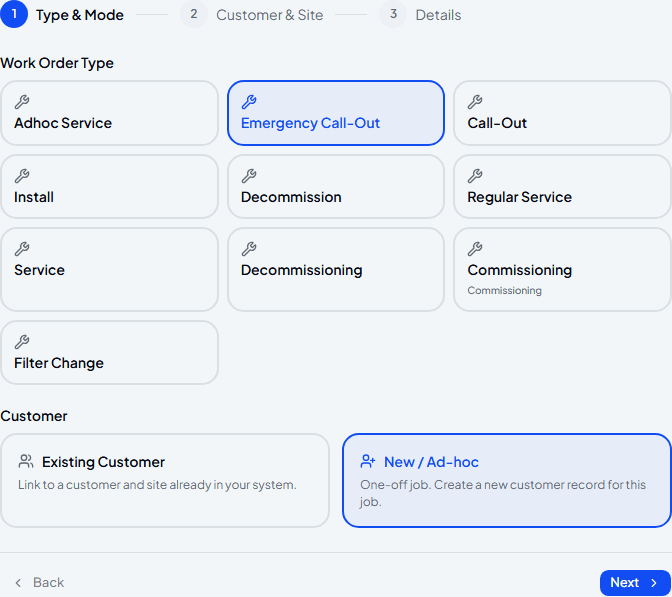
Pick a job type and choose New / Ad-hoc
Start a new work order as normal, choose the type of job, then pick New / Ad-hoc instead of an existing customer. Nothing else on this screen changes based on that choice.
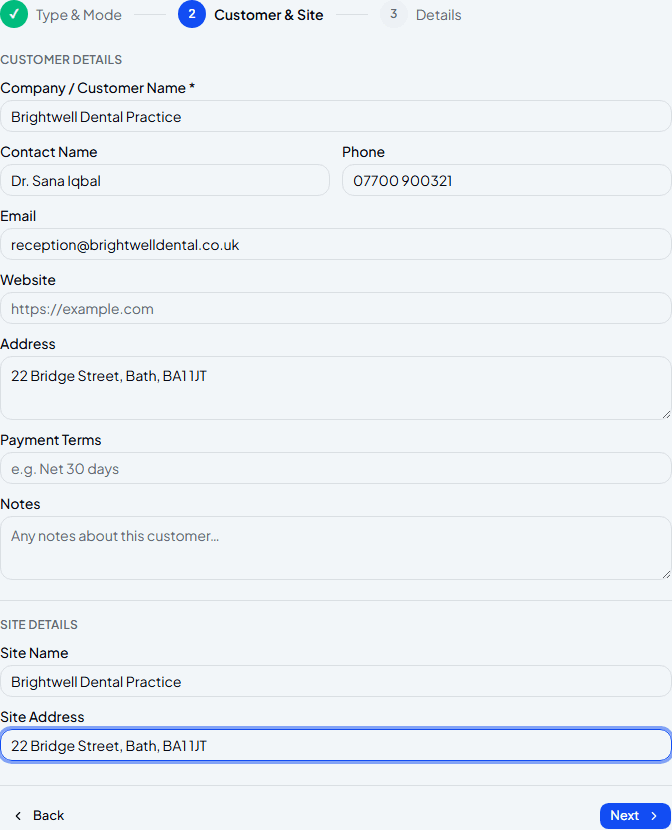
Add their details
Fill in whatever you know about the customer and site — name and address are enough to get going. This does create a real customer record behind the scenes, it's just kept out of your main Customers list so one-off jobs don't clutter it.
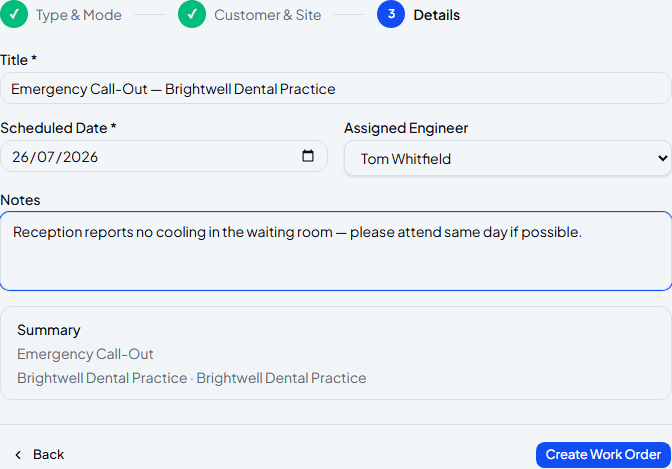
Set the date, assign an engineer, and create it
The title fills itself in from the job type and customer name — change it if you want something more specific. Assign an engineer now or leave it unassigned and sort that out later; the summary at the bottom always shows exactly what you're about to create.
Frequently asked
Does this create a customer I'll see in my Customers list?
No — ad-hoc customers are deliberately excluded from the main Customers list, so one-off jobs don't clutter the customer base you actually manage day to day.
What if they become a repeat customer later?
Add them properly from Customers and use that record going forward — there's no automatic merge, so the original ad-hoc job stays as its own separate bit of history.
Do I have to assign an engineer straight away?
No — leave Assigned Engineer on Unassigned and pick someone later from the work order itself.
Experience Climexa with a free 30-day trial.
See how installation, commissioning, servicing, compliance and customer reporting work together in one platform.
- 30-day free trial
- No credit card required
- Full platform access