
Commissioning a new system
Record a newly installed system properly from day one — same wizard as any other work order, just with a Commissioning job type that adds an equipment step.
Walkthrough
Four steps — the only difference from a regular work order is the Systems step in the middle.
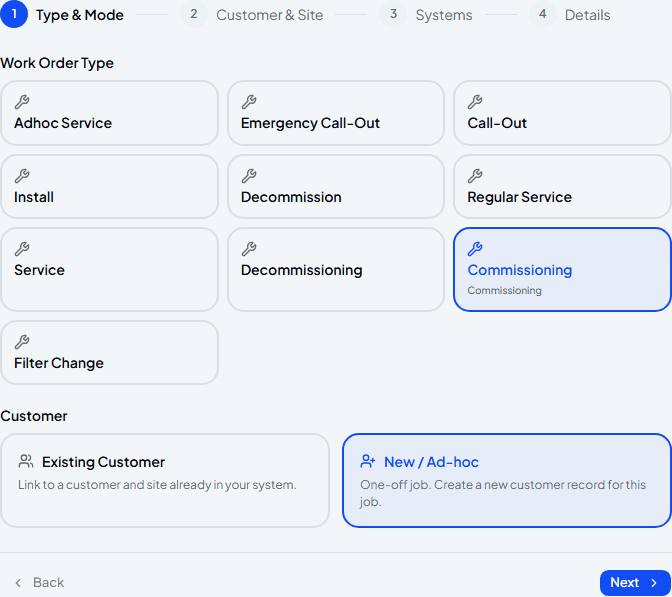
Choose Commissioning as the job type
Pick Commissioning from the job type list. Customer mode works exactly as it does for any other job — Existing Customer for someone you already look after, New / Ad-hoc for a fresh install at a brand-new customer.
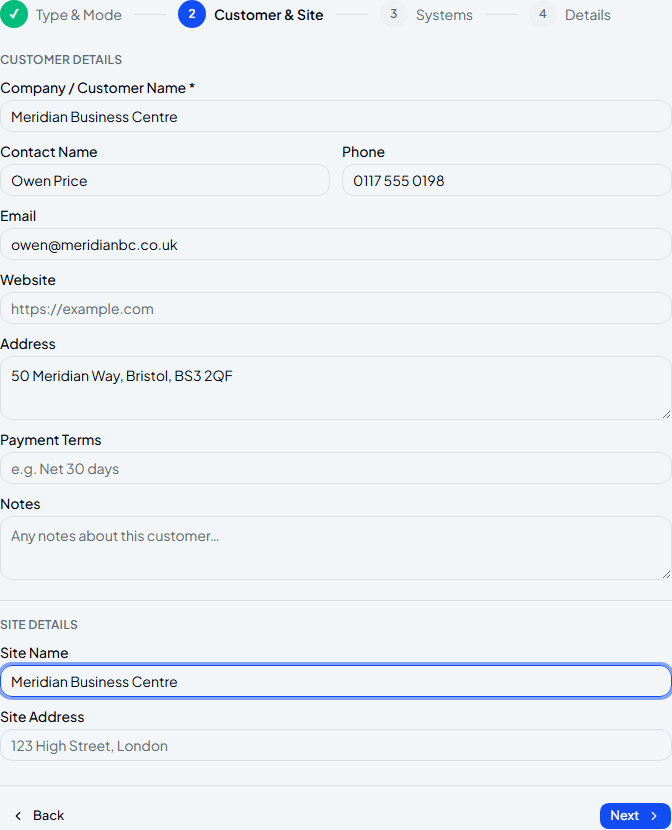
Add the customer and site
For a new install, this is often a brand-new customer — fill in what you know, the same as booking any ad-hoc job.
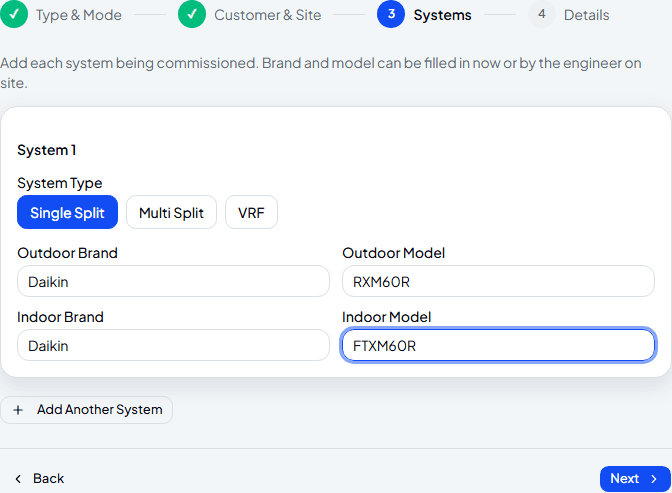
Add each system being installed
Choose Single Split, Multi Split or VRF — which options are available depends on your plan — and fill in the outdoor and indoor equipment if you know it. Nothing here is required yet; the engineer can fill in brand and model on site instead. Add Another System for each additional indoor unit on a multi-split or VRF job.
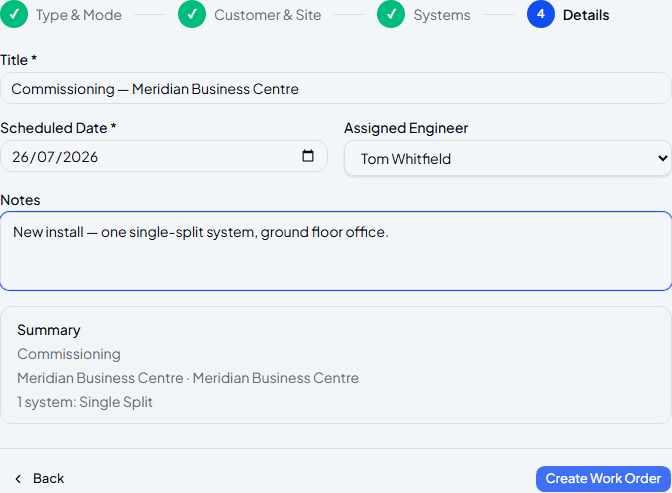
Set the date, assign an engineer, and confirm
Same details step as any work order — title, date, engineer, notes, and a summary confirming how many systems are on this job before you create it.
Frequently asked
What happens after I create the commissioning work order?
It goes to the assigned engineer as a commissioning job card — they'll record pressures, vacuum readings, refrigerant charge and controller settings for each system on site.
Can I add more than one system to the same job?
Yes — Add Another System repeats the whole equipment block, so a multi-split or VRF install with several indoor units can all go on one work order.
Do I need the exact brand and model before creating this?
No — leave those fields blank and the engineer can confirm them from the equipment on site instead.
Experience Climexa with a free 30-day trial.
See how installation, commissioning, servicing, compliance and customer reporting work together in one platform.
- 30-day free trial
- No credit card required
- Full platform access