
Commissioning a new system on site
A full commissioning record per system — equipment, electrical, installation and testing data — finished off with the customer's signature.
Walkthrough
Four steps for a new install.
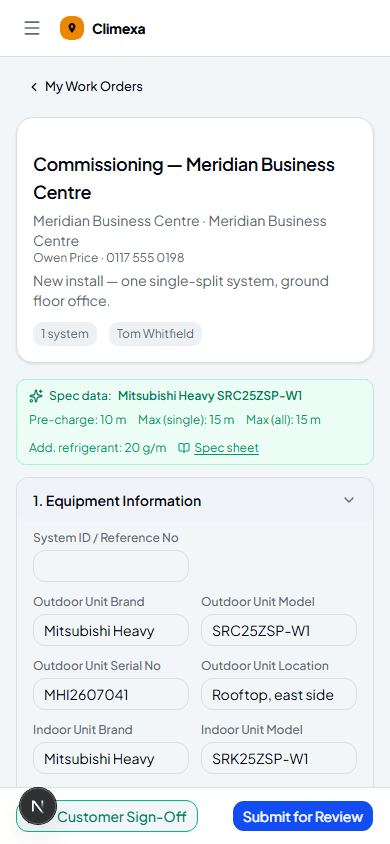
Enter the equipment details
Start Job opens the commissioning form. Enter the outdoor and indoor brand and model as you go — if it matches a system Climexa already has on file, Spec data appears automatically with pre-charge length and maximum pipe run, so you can check your install against it there and then.
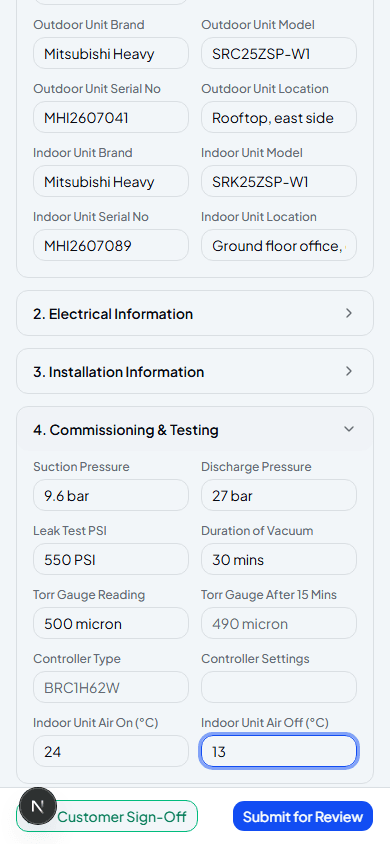
Record electrical, installation and test data
Four collapsible sections cover everything a commissioning record needs — electrical supply, pipework and refrigerant charge, then pressures, vacuum and airflow readings from testing.
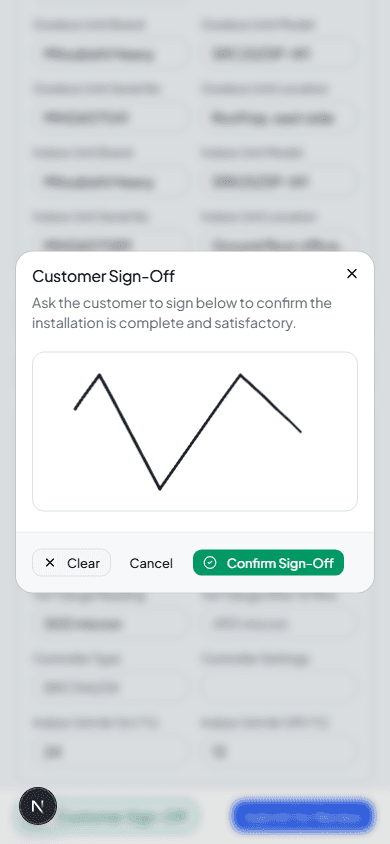
Get the customer's sign-off
Customer Sign-Off opens a signature pad — hand your device to the customer to sign directly, confirming the installation is complete and satisfactory.
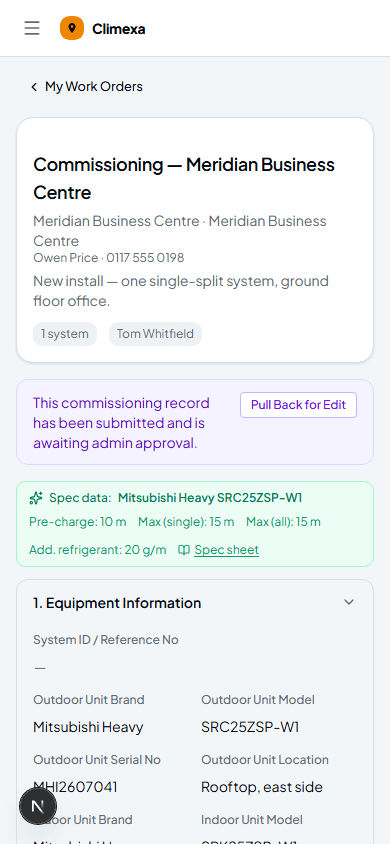
Submit for review
Submit for Review sends the whole commissioning record to the admin. If you need to fix something before it's approved, Pull Back for Edit brings it back to you — it's the one job type on Climexa where you can do that after submitting.
Frequently asked
What happens if I get a brand or model wrong and it doesn't match a spec?
Nothing blocks you — Spec data only appears when there's a match. You can still fill in every field manually either way.
Can I edit a commissioning record after submitting it?
Yes, as long as the admin hasn't approved it yet — Pull Back for Edit returns it to you so you can make changes, then submit again.
Do I need the customer's signature before I can submit?
No — Customer Sign-Off and Submit for Review are independent, though it's best practice to get sign-off on site before you leave.
Experience Climexa with a free 30-day trial.
See how installation, commissioning, servicing, compliance and customer reporting work together in one platform.
- 30-day free trial
- No credit card required
- Full platform access