
Creating a work order
The everyday version — booking a job for a customer and site you've already set up.
Walkthrough
Four steps, and the wizard fills in what it can along the way.
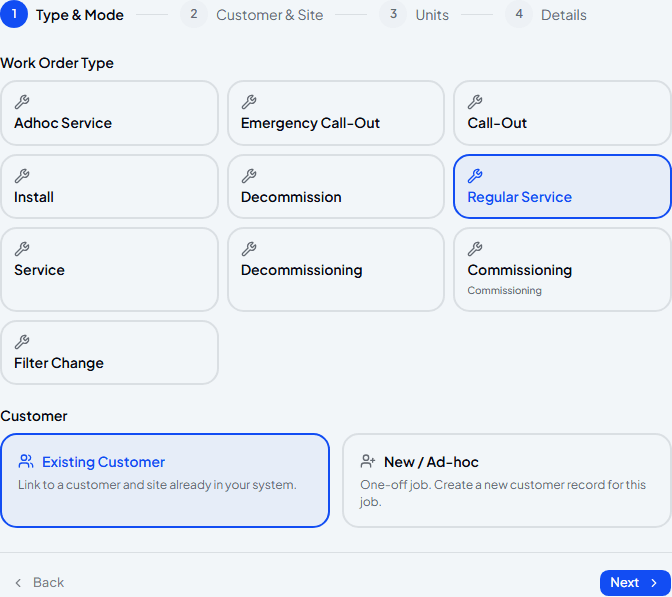
Choose the job type and Existing Customer
Pick the type of job, then leave Existing Customer selected — it's the default, since most work orders are for someone you already look after.
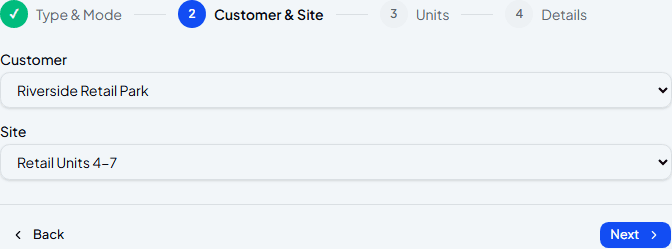
Pick the customer and site
Choose which customer this is for, then which of their sites. If they've only got one site, this step takes about two seconds.
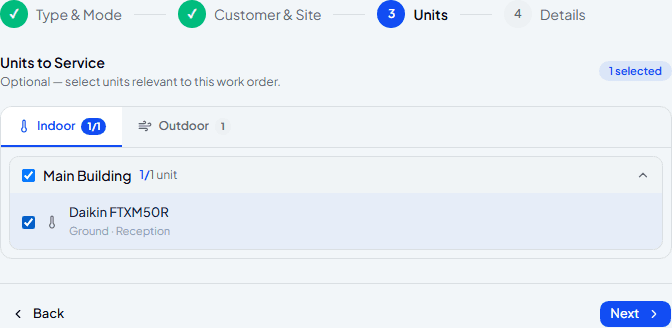
Select which units need attention
This step is entirely optional — skip it and the engineer decides on site, or select specific units here if you already know what needs doing. Units are grouped by building, with a shortcut to select everything in one.
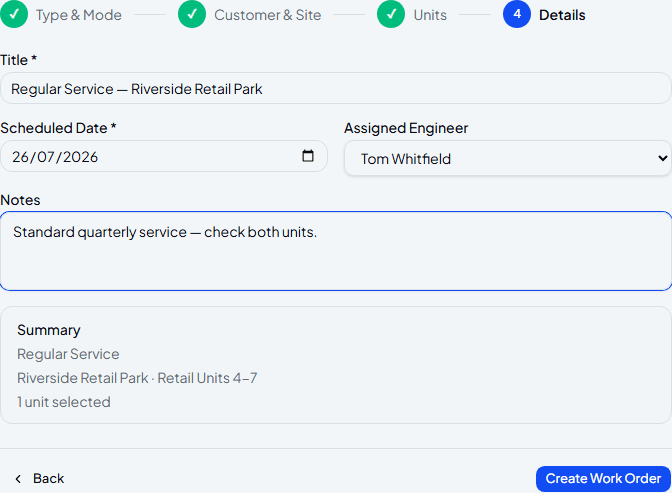
Set the date, assign an engineer, and confirm
The title's already filled in from the job type and customer name. Add a scheduled date, assign an engineer if you know who's going, and check the summary before creating it.
Frequently asked
What if the customer has more than one site?
The Site dropdown lists all of them — pick the one this job is actually for.
Do I have to select units?
No — it's entirely optional. Leave it blank and the engineer will note what they did against the site generally instead of specific units.
Can I change any of this after creating the work order?
Yes — open the work order itself to edit the title, date, assignment or notes at any point before it's completed.
Experience Climexa with a free 30-day trial.
See how installation, commissioning, servicing, compliance and customer reporting work together in one platform.
- 30-day free trial
- No credit card required
- Full platform access