
Customising job types, unit types and checklists
Shape the building blocks every work order is built from — the jobs you offer, the equipment types you install, and what shows up on a service checklist by default. All three live in the same Settings page.
Walkthrough
Each one follows the same pattern: platform defaults you can toggle, plus your own custom additions.
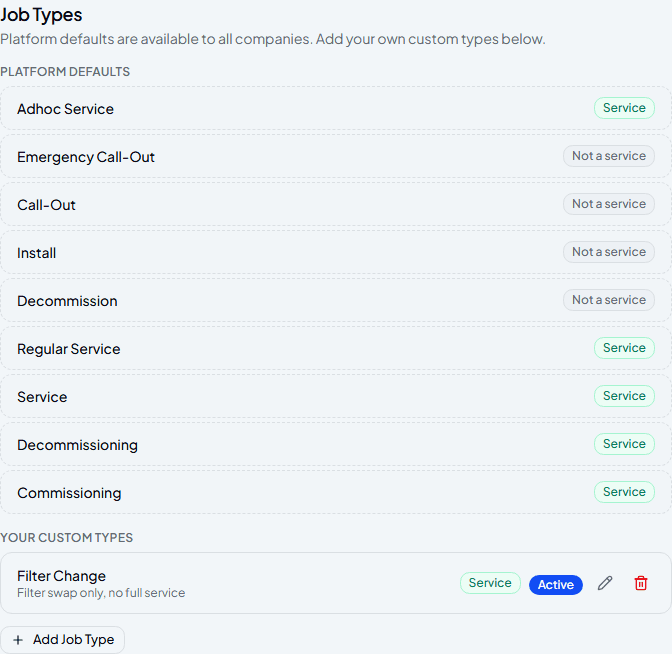
Add your own job types
Platform defaults already cover the common jobs — servicing, call-outs, install, commissioning and decommissioning — and can't be removed. Add your own underneath for anything specific to how you work, like a filter-only visit. Mark whether it counts as a “Service” for reporting, and switch it Active or Inactive whenever you like.
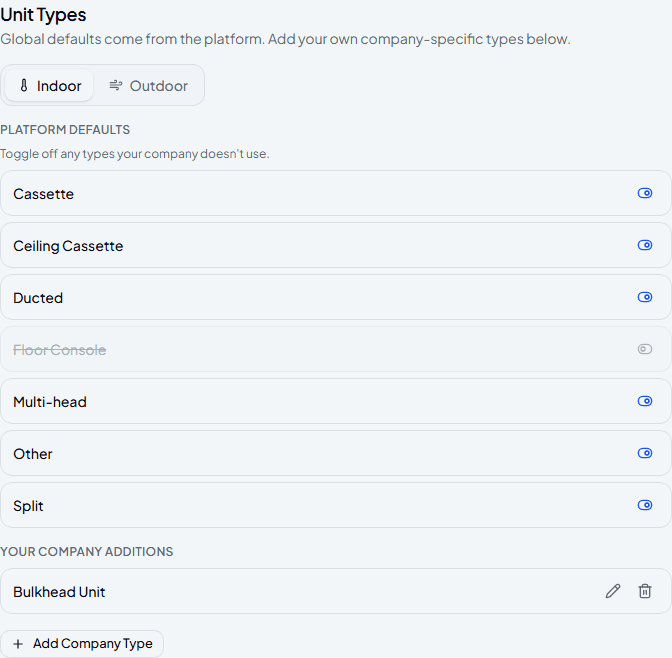
Choose which unit types you use
Switch between Indoor and Outdoor to toggle off any platform default you don't install — it disappears from the picker without affecting units you've already added of that type. Add your own underneath for anything specific to your business.
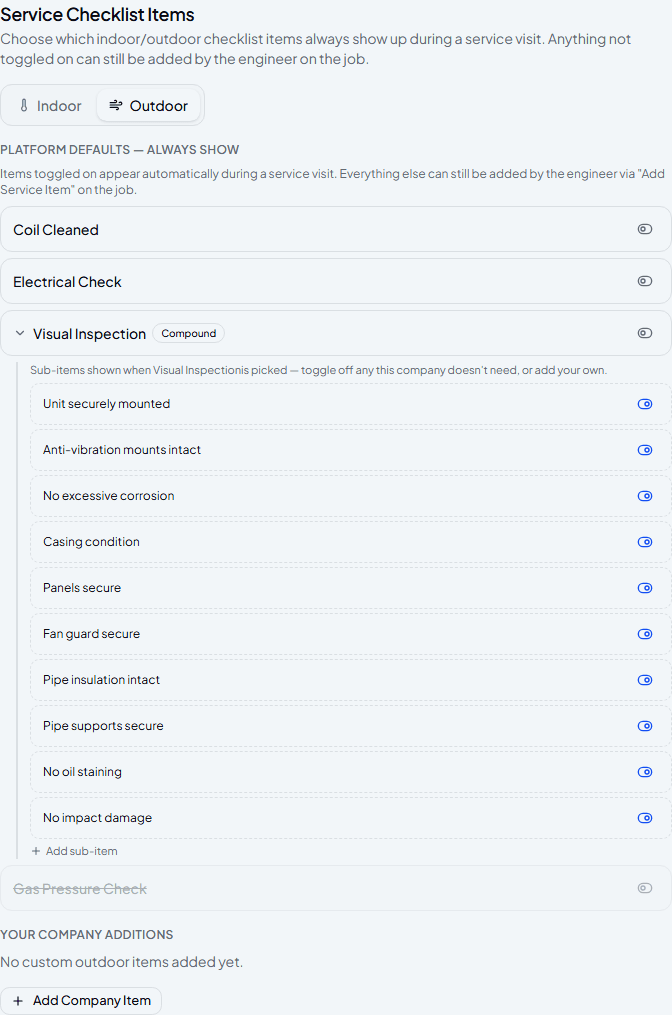
Set what shows up on every checklist
Toggle on the items you want appearing automatically during a service visit — anything left off can still be added by the engineer on the job itself, it's just not there by default. Compound items like Visual Inspection expand into their own set of Yes/No/N/A questions, each one toggleable the same way.
Frequently asked
If I turn off a job type or unit type, does it affect existing work orders?
No — anything already recorded keeps its original job or unit type. Turning one off only removes it from the picker for new entries.
What's the difference between a checklist item being off and being deleted?
Off just means it doesn't appear automatically — an engineer can still add it manually on the job. Deleting removes it entirely, and isn't allowed once it's actually been used on a service record; it gets deactivated instead so past reports still make sense.
Can I reorder checklist items?
Yes — use the up/down arrows next to each item to change the order they appear in on the job card.
Experience Climexa with a free 30-day trial.
See how installation, commissioning, servicing, compliance and customer reporting work together in one platform.
- 30-day free trial
- No credit card required
- Full platform access