
Customising your PDF report templates
Set your own title, footer and notes once per report type, and every report from then on picks it up automatically.
Walkthrough
Three steps, one per report type you want to customise.
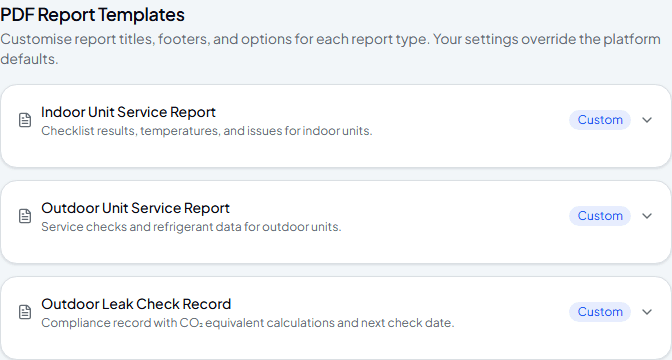
Pick a report type to customise
Settings has one entry per report type — Indoor Unit Service Report, Outdoor Unit Service Report, and Outdoor Leak Check Record. A badge on each one shows whether you're using the platform default or your own version.
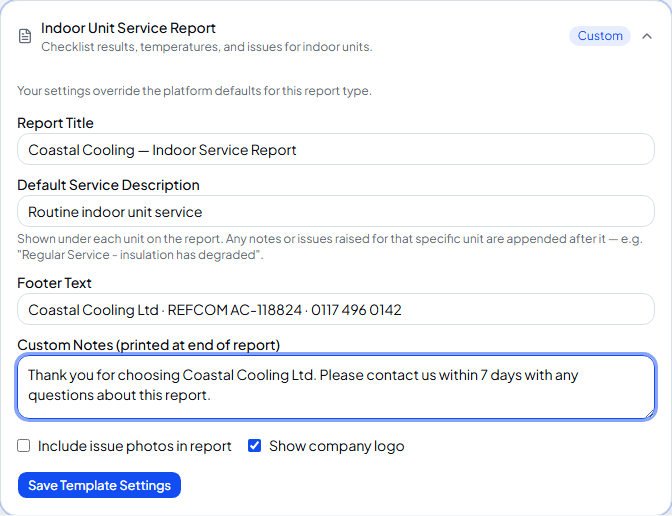
Set your own title, footer and notes
Expand a report type to set a report title, a default service description, footer text, and custom notes printed at the end — plus whether to include issue photos and your company logo.
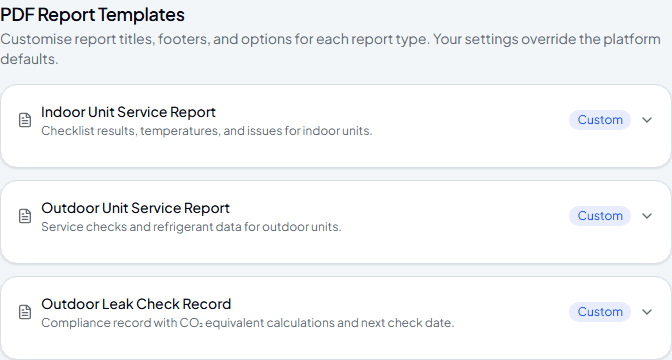
Save it
Save Template Settings applies it immediately — every report of that type generated from now on uses your version instead of the platform default.
Frequently asked
What happens to reports I already generated before customising?
They're unaffected — a PDF is generated fresh each time you download it, using whatever template settings are in place at that moment.
Do I have to customise all three report types?
No — leave any of them alone and it keeps using the platform default until you decide otherwise.
Can I turn off the company logo for a specific report type?
Yes — the Show Company Logo option is per report type, so you can leave it on for service reports and off for another type if you want.
Experience Climexa with a free 30-day trial.
See how installation, commissioning, servicing, compliance and customer reporting work together in one platform.
- 30-day free trial
- No credit card required
- Full platform access