
Generating F-Gas compliance logs
Every log is generated fresh from your refrigerant ledger and leak check history the moment you download it — never a stale export.
Walkthrough
Two levels: every site at once, or just one.
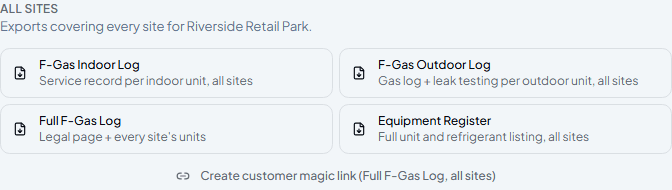
Download for every site at once
A customer's Documents tab has an All Sites section covering their whole estate in one PDF — useful for a customer with several locations who wants one combined record.
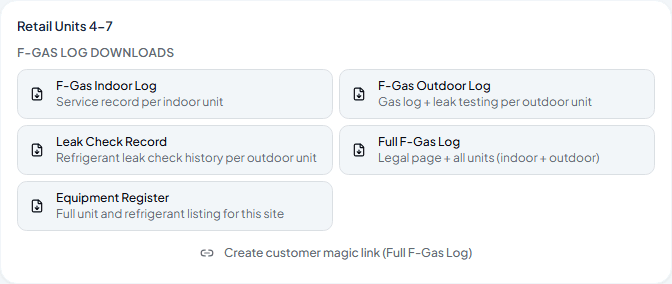
Or scope it to just one site
Underneath, each site gets the same set of downloads on its own — handy when a customer only wants the paperwork for one location, not their whole account.
Log types, at a glance
| F-Gas Indoor Log | Service record per indoor unit. |
| F-Gas Outdoor Log | Gas log and leak testing history per outdoor unit. |
| Leak Check Record | Refrigerant leak check history per outdoor unit. |
| Full F-Gas Log | The legal compliance page plus every unit, indoor and outdoor. |
| Equipment Register | A full unit and refrigerant listing, for your own records. |
Frequently asked
Do these logs update automatically as new data comes in?
Yes — every download is generated at that moment from your current refrigerant ledger and leak check history, so it's never out of date.
Which one do I actually need for a compliance inspection?
Full F-Gas Log — it includes the legal page plus every unit's history in one document.
Can my customer get these without logging into Climexa?
Yes — that's what the magic link next to each set of downloads is for, covered in the next guide.
Experience Climexa with a free 30-day trial.
See how installation, commissioning, servicing, compliance and customer reporting work together in one platform.
- 30-day free trial
- No credit card required
- Full platform access