
Reviewing engineer-raised issues
Anything an engineer flags on site — a fault, a concern, something worth a follow-up quote — lands here for you to action.
Walkthrough
Three steps: see it, note it, close it out.
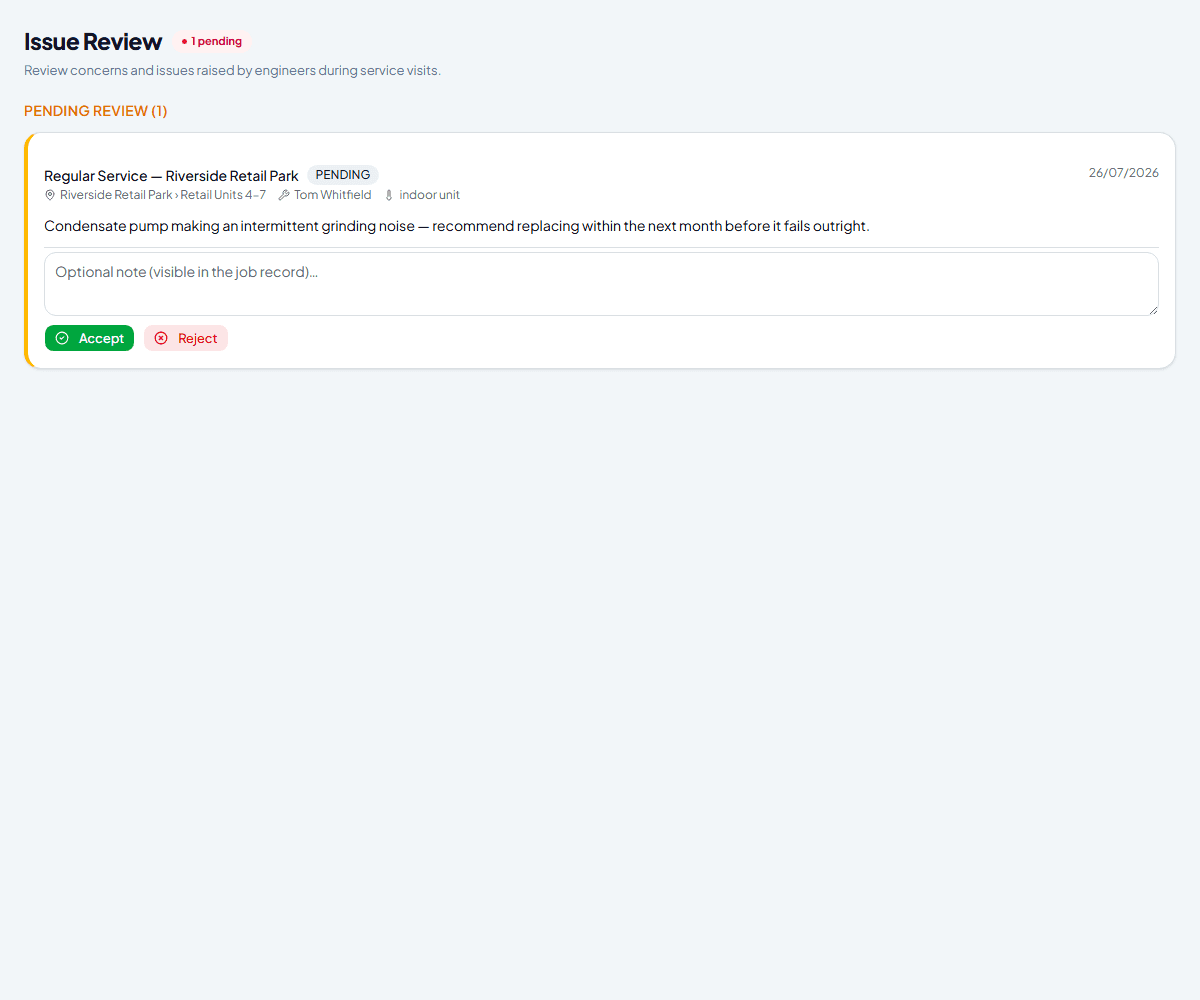
See what's pending
Issues shows every concern an engineer has raised during a visit, oldest first, with a running count of what's still waiting on you. Each one links straight back to the work order and unit it came from.
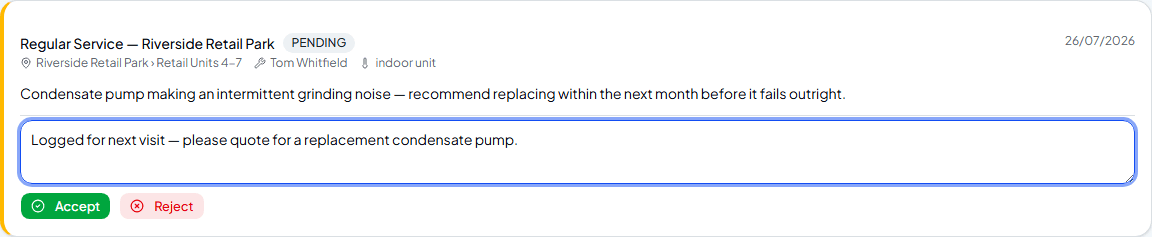
Add a note if it's useful
The optional note is visible in the job record afterwards — a good place to leave context for whoever picks up the follow-up, like flagging that a quote's needed.
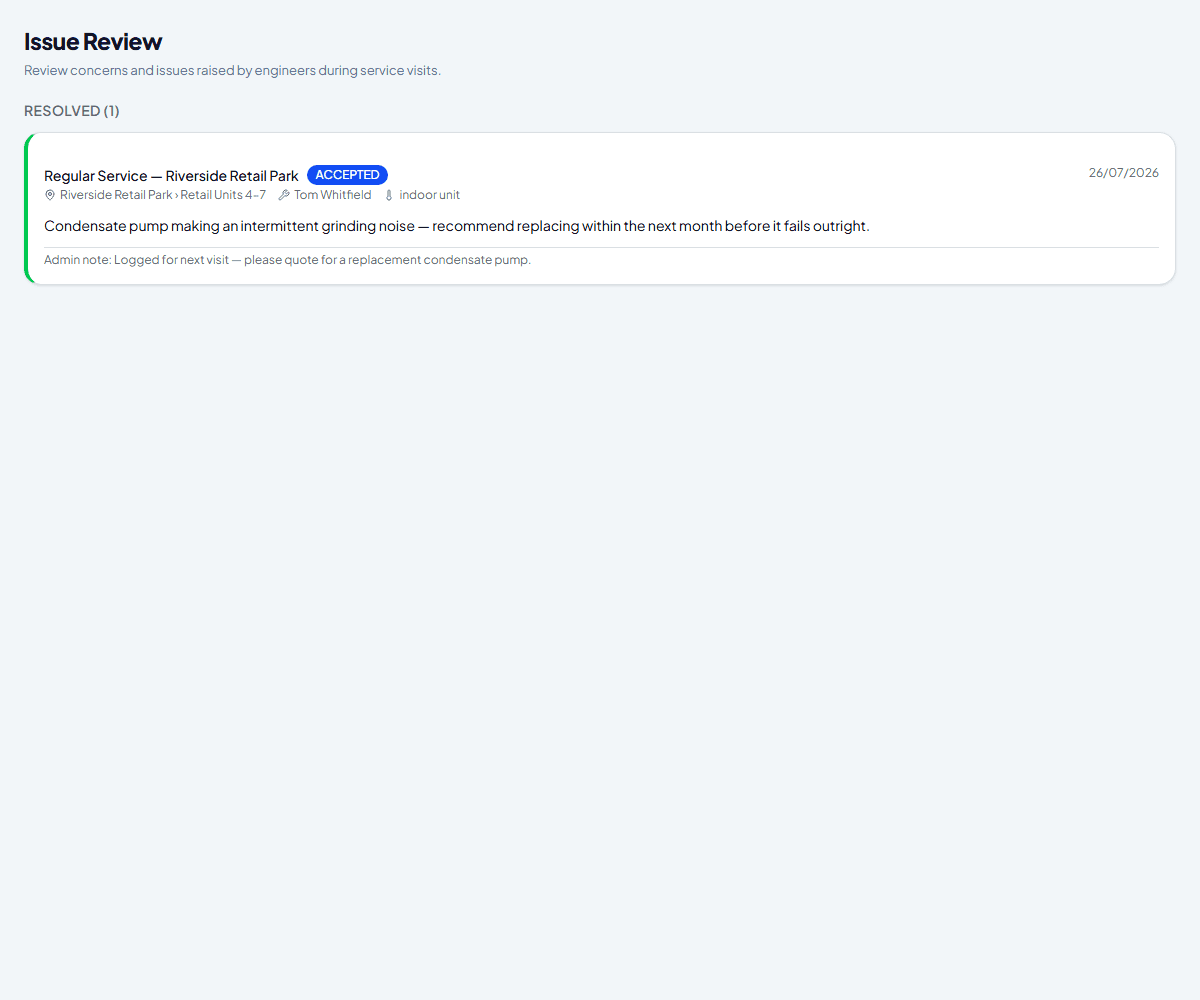
Accept or reject it
Accept confirms it's real and worth acting on — often the start of a follow-up job. Reject closes it with no further action, for anything that turns out not to need one. Either way it moves out of Pending and into Resolved, note and all.
Frequently asked
Does accepting an issue automatically create a new work order?
No — accepting just confirms it and records your note. If it needs a follow-up visit, create that work order yourself the normal way.
Can I change my mind after accepting or rejecting?
The buttons disappear once an issue is resolved, so there's no one-click undo — the record and your note stay exactly as they were decided.
Where do leak check results that need follow-up show up?
The same place — a suspected or confirmed leak automatically raises an issue here, regardless of anything else happening on that job.
Experience Climexa with a free 30-day trial.
See how installation, commissioning, servicing, compliance and customer reporting work together in one platform.
- 30-day free trial
- No credit card required
- Full platform access