
Sharing reports and logs with customers
Two kinds of link, both time-limited and both work without your customer needing to log in at all.
Walkthrough
Two steps — one per link type.
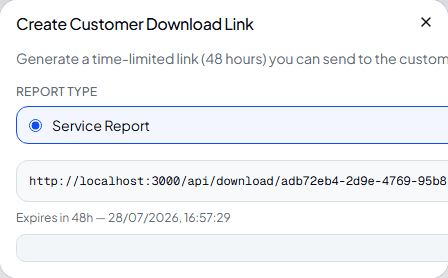
Share a single job's report
From a completed work order's PDF Reports panel, Create customer share link generates a 48-hour download link for that job's report — a Service Report, Commissioning Report or Decommission Certificate depending on the job type.
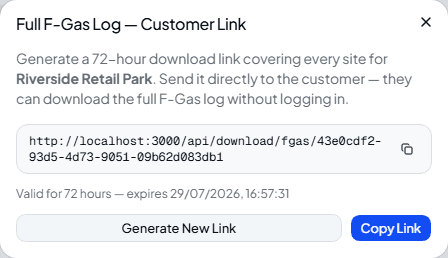
Share a customer's full F-Gas history
From a customer's Documents tab, the magic link next to any set of F-Gas downloads generates a 72-hour link instead — covering either one site or, from the All Sites section, everywhere at once.
Which link do you need?
| Work order report link | One job's PDF report. Expires after 48 hours. |
| F-Gas magic link | A site's or customer's full F-Gas log. Expires after 72 hours. |
Frequently asked
Does my customer need a Climexa account to use these links?
No — that's the point. Anyone with the link can download the PDF directly, no login required.
What happens once a link expires?
It simply stops working — generate a new one from the same place whenever you need to share it again.
Can I see who's downloaded a shared link?
No — the link itself is the only access control. Treat it like you would any document you'd email directly.
Experience Climexa with a free 30-day trial.
See how installation, commissioning, servicing, compliance and customer reporting work together in one platform.
- 30-day free trial
- No credit card required
- Full platform access