
Submitting your job and getting sign-off
Submitting works a little differently depending on the job type — here's what to expect from each one.
Walkthrough
Three job types, three sets of rules.
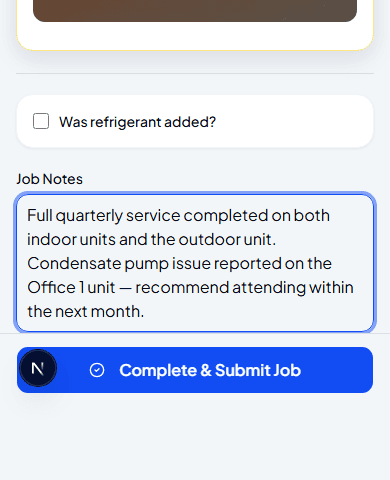
Regular service — submit only, no pull-back
Complete & Submit Job sends the whole visit for admin review. There's no customer signature step in the app, and once you've submitted, the job is read-only on your side — there's no way to recall it yourself.
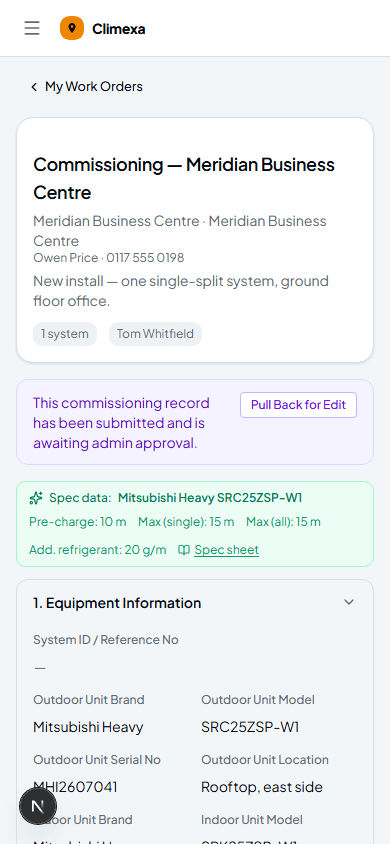
Commissioning — signature, submit, and pull-back if needed
Customer Sign-Off captures a signature before you submit. If the admin hasn't approved it yet, Pull Back for Edit brings a commissioning record back to you to fix and resubmit — the only job type where that's possible.
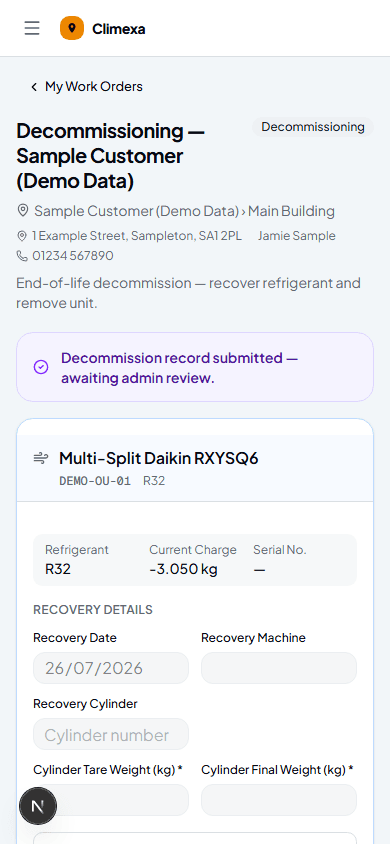
Decommissioning — signature required, no pull-back
Customer Sign-Off is required here — you can't submit without it. Once submitted, though, there's no pull-back option, so double-check your recovery weights first.
Submission rules at a glance
| Regular service | No customer signature in-app. Submit is final — no pull-back. |
| Commissioning | Customer signature optional before submitting. Can be pulled back for edit until the admin approves it. |
| Decommissioning | Customer signature required before submitting. Submit is final — no pull-back. |
Frequently asked
Why can't I pull back a regular service or decommissioning job?
Only commissioning records support it right now — for the other two, submitting is final on your side, so it's worth a last check before you tap submit.
What does the admin see differently for each job type?
All three land in the admin's review queue, but commissioning and decommissioning records carry the customer's signature and the recovery or system data alongside your checklist and notes.
Does a pulled-back commissioning job notify the admin?
It simply moves back to In Progress on your side and out of their review queue — resubmitting it puts it back in front of them.
Experience Climexa with a free 30-day trial.
See how installation, commissioning, servicing, compliance and customer reporting work together in one platform.
- 30-day free trial
- No credit card required
- Full platform access